Your AI IDE now
controls any website.
MCP Mode is one of three ways to use the TAMASH extension. Install tamash-wmcp, add one JSON config block to your IDE, and your AI agent can call live WebMCP tools from any open Chrome tab — no Playwright, no selectors.
Requires the Tamash Chrome Extension. The Extension is the core product — it contains all three modes: Agent Mode, MCP Mode, and Tool Tester. Install it first, then add the tamash-wmcp config to your IDE to enable MCP Mode. Install the extension →
Live Proof
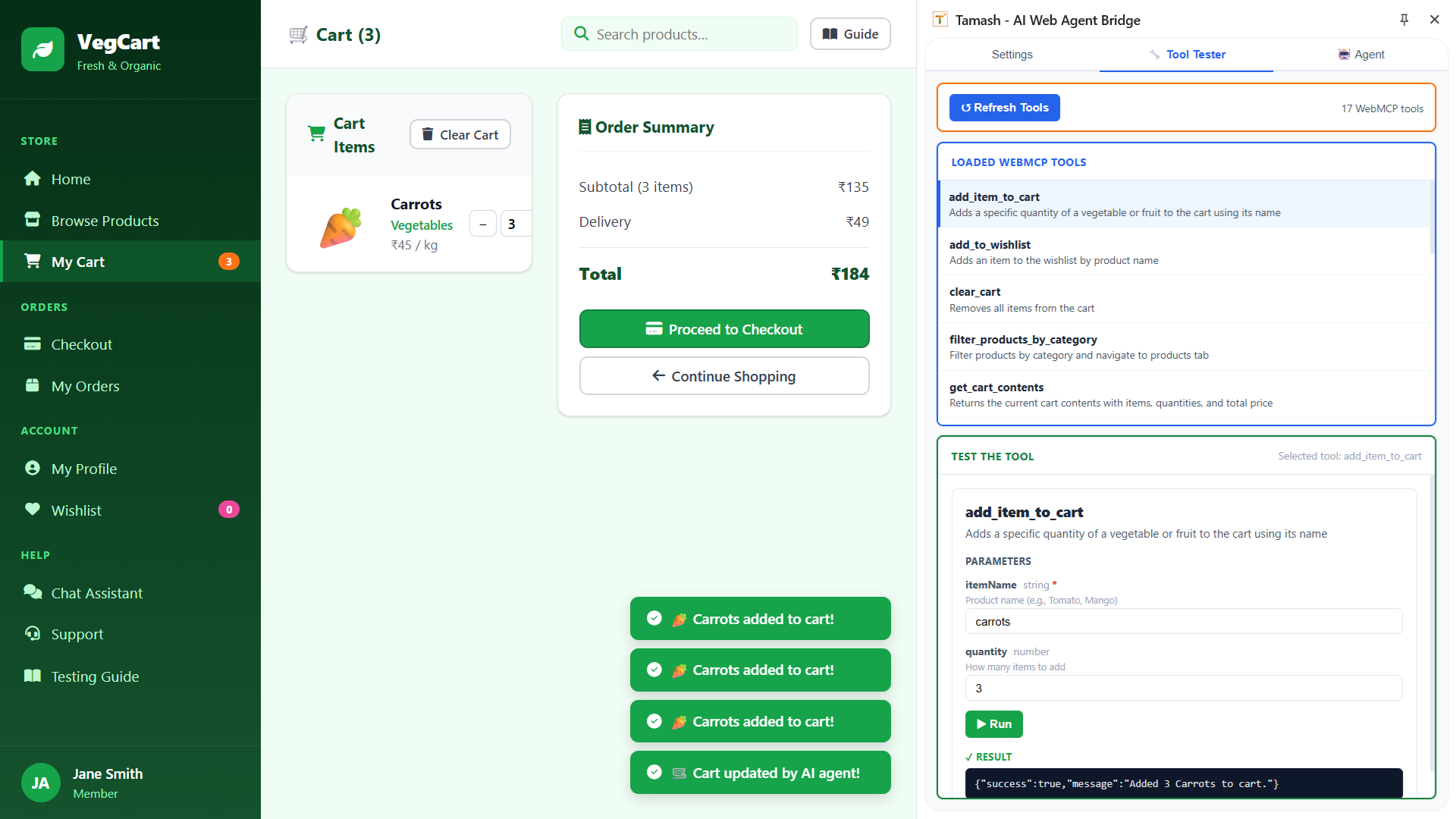
17 WebMCP tools discovered on a live VegCart session
This is the proof business and engineering teams need: the MCP bridge loads app-defined tools, executes them successfully, and reflects the result in the live application.
Live app-defined tools, not brittle selectors
The Tool Tester loads 17 WebMCP tools directly from VegCart, including cart, wishlist, checkout, and product actions.
Real execution with visible success
The add_item_to_cart run returns a successful result in the panel, which makes the MCP story concrete and easy to trust.
Three modes, one extension
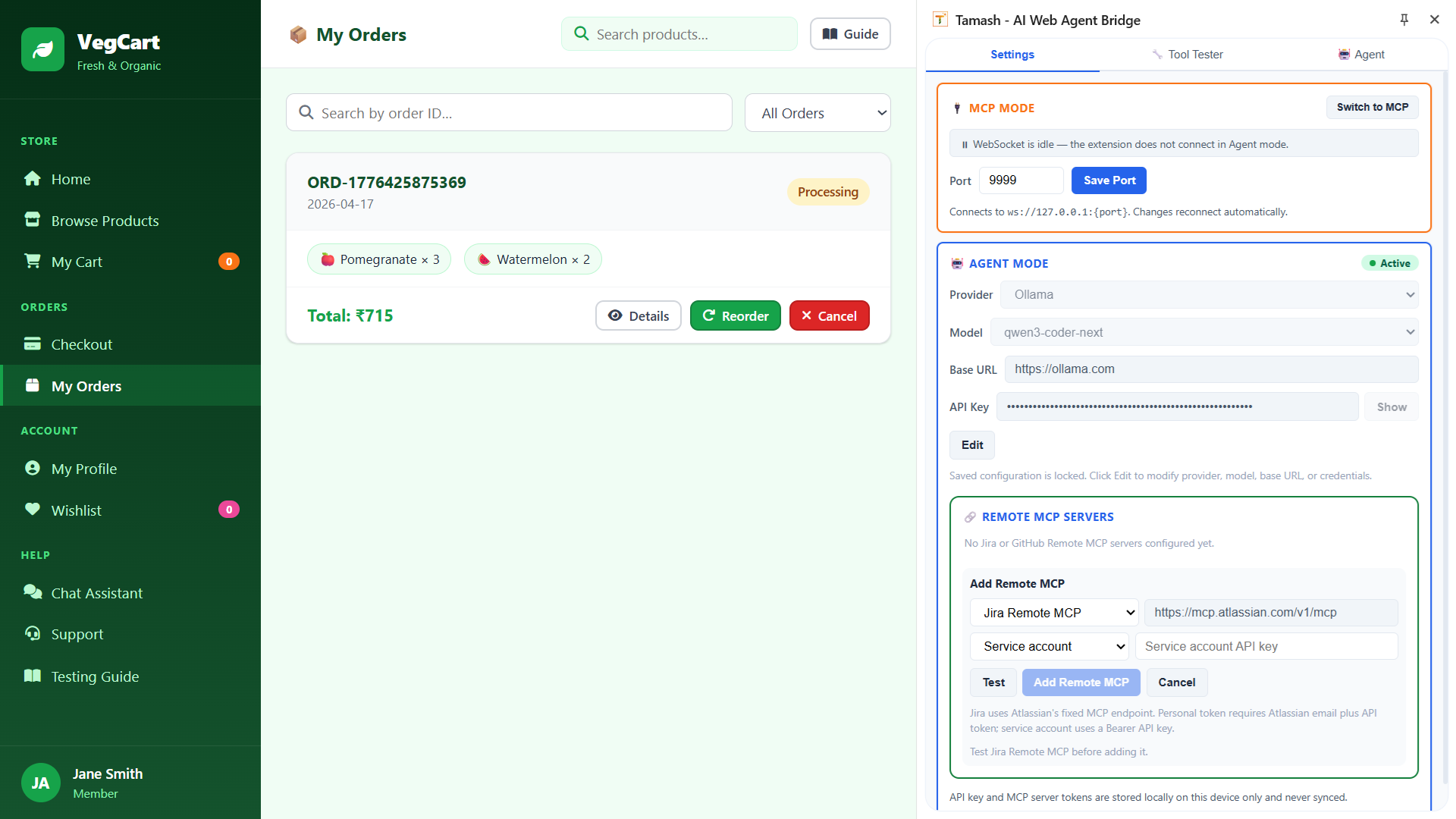
The same extension that powers MCP Mode also contains Agent Mode (AI conversation with your app) and Tool Tester (manual per-tool validation for developers). Teams can switch between all three without changing products.
IDE Integrations
Works with every major AI IDE
One MCP server. Three IDE integrations. Your team keeps using the tools they already know.
VS Code Copilot
Use GitHub Copilot in agent mode to run, test, and verify live web flows — without leaving your editor.
Cursor
Let Cursor’s AI agent drive your browser. Ask it to test workflows while you code alongside it.
Claude Desktop
Give Claude access to your live web app. It can navigate, interact, and verify — just as a human tester would.
The Shift
Stop writing tests. Start describing outcomes.
TAMASH MCP replaces your automation stack with a natural language interface to any web app.
Before TAMASH MCP
- Write CSS selectors and XPath for every element
- Install and configure Playwright or Selenium
- Update tests after every UI change
- Only developers can write or modify tests
- Separate test repository to manage and maintain
With TAMASH MCP
- Describe what to test in plain English
- Zero Playwright or Selenium setup
- UI changes? TAMASH adapts automatically
- Any team member can run tests from their IDE
- No test code repository to maintain ever
What Teams Gain
Real outcomes for real teams
TAMASH MCP doesn’t just save time — it changes how your team thinks about testing.
Tests in seconds, not hours
Write a prompt, not a test file. What used to take hours of selector writing and CI wiring takes a sentence.
Zero maintenance burden
No brittle selectors to update. TAMASH discovers page interactions live — your prompts stay valid as the UI evolves.
Test apps you didn’t build
Client portals, third-party integrations, legacy systems — TAMASH works on any website without source code access.
Every developer is a tester
QA becomes a natural part of development. Devs validate their own changes from inside their IDE before any PR.
No infrastructure to manage
tamash-wmcp runs via npx — no global install, no Docker, no CI setup needed to get started.
Works on your customized projects
TAMASH reads your app’s own declared tools first. Custom workflows, domain-specific actions — all supported.
Setup
One config block. Any IDE. Instant connection.
Two steps and your AI IDE is connected to any website you open in Chrome.
Install the Tamash Chrome Extension
The Extension is required — it scans your web app and exposes interactions to the MCP Server. Install it here →
Add one config block to your IDE
tamash-wmcp runs via npx — no global install needed. Add this to your IDE’s MCP config:
"servers": {
"tamash": {
"command": "npx",
"args": ["tamash-wmcp"]
}
}
}
Save to .vscode/mcp.json in your project
"mcpServers": {
"tamash": {
"command": "npx",
"args": ["tamash-wmcp"]
}
}
}
Save to .cursor/mcp.json in your project
"mcpServers": {
"tamash": {
"command": "npx",
"args": ["tamash-wmcp"]
}
}
}
Add to claude_desktop_config.json
Let TAMASH happen
to your web
Connect your IDE to live web apps in plain English, or book a walkthrough if you want to evaluate TAMASH with your team.